


Comprehensive Review of the Alexa Tablet
Introduction to the Alexa Tablet
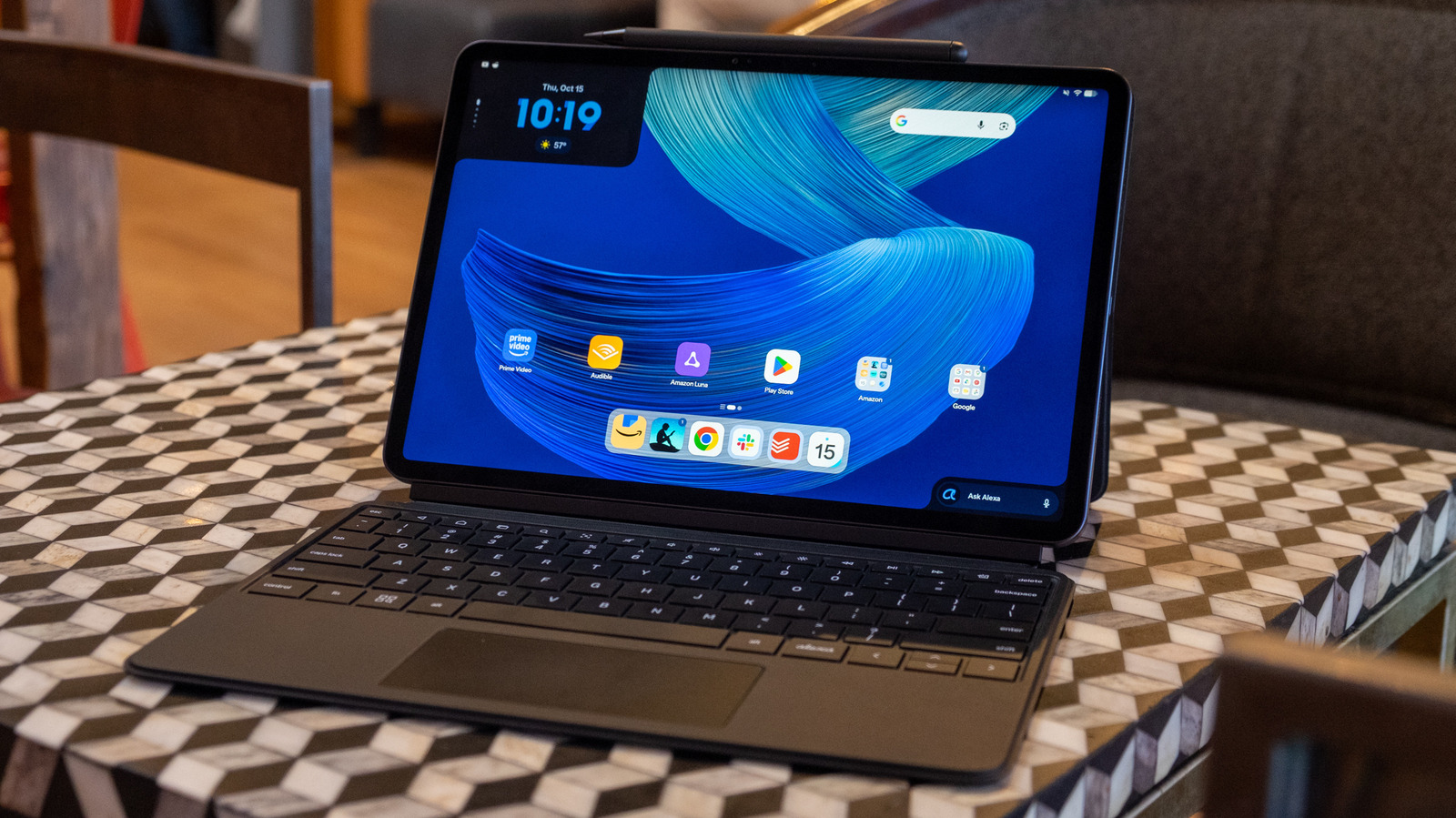
The Alexa Tablet is designed with a clear emphasis on Amazon’s ecosystem, featuring direct access to an array of Amazon applications such as Kindle, Luna, Prime Video, Audible, and the Silk browser. Users will also find a convenient folder containing essential Google services, including Gmail, Maps, Meet, and YouTube. As an Android-based device, the tablet allows for the installation of additional apps from the Google Play Store, offering flexibility in app selection.
User Interface and Experience
The tablet’s user interface has several distinctive elements that reflect its Amazon-centric design. The home screen includes two primary widgets: one displays recently accessed content from various Amazon applications, allowing users to resume activities seamlessly. The second widget provides instant access to Amazon’s virtual assistant, Alexa+, promoting voice interaction capabilities alongside a more traditional interface. Notably, a Google search widget is also present, demonstrating a balance between promoting Amazon services and allowing Google functionality.
Multimedia Performance
The Alexa Tablet excels in multimedia use, featuring a high-quality display that enhances viewing experiences for movies and streaming services. Equipped with Dolby Atmos speakers, the audio performance is noteworthy, providing clarity and a sense of space during playback. While audiophiles may prefer external sound systems, the built-in speakers deliver commendable audio quality for general use.
App Functionality and Optimization
Users can install a wide variety of applications from the Play Store, though some popular apps remain inadequately optimized for larger tablet screens. For instance, communication apps like Slack do not fully utilize the screen space, often appearing as expanded versions of their mobile counterparts. However, essential applications such as Adobe’s Lightroom and Google’s suite (Gmail, Docs, etc.) have been adapted for tablet interfaces, ensuring a smooth user experience.
Multitasking and Performance
The Alexa Tablet offers robust multitasking features, allowing users to split the screen between multiple applications or arrange them freely on a virtual desktop. While the performance of the MediaTake Dimensity 8400 processor is generally reliable, facilitating a smooth user experience, some lag may occur during app switching, especially under heavy loads. The model examined includes 8GB of RAM and 128GB of storage, with options to enhance these specifications as needed.
Battery Life
While the manufacturer claims up to 16 hours of video playback, real-world usage, encompassing productivity tasks such as writing and browsing, has yielded approximately 8 hours of battery life before requiring a recharge. Further testing is planned to provide more concrete assessments of the battery performance under various scenarios.
Conclusion
Overall, the Alexa Tablet presents a viable option for users seeking an affordable device with solid multimedia capabilities and straightforward access to Amazon’s services. While there are some limitations in app optimization specifically for larger displays, the tablet remains a compelling choice within its category, particularly for individuals invested in the Amazon ecosystem.
