


Effective Strategies for Blocking Spam Calls on iPhone
Spam calls continue to be a persistent issue for many smartphone users. While services like Truecaller have historically provided caller identification and spam filtering, recent advancements in both Android and iOS platforms have equipped users with effective built-in tools to manage unwanted calls. This article will guide you in leveraging these features on your iPhone to minimize spam calls.
Utilizing Carrier Spam Protection
Your mobile carrier may already offer call protection features designed to identify and filter spam calls. It’s worth checking your carrier’s app or accessing your account online to see if these options are active by default. If not, you can often enable them with just a few taps.
iPhone Call Filtering Settings
For iPhone users, adjusting call settings is straightforward. Follow these steps to filter spam effectively:
- Open the Settings app and select Phone.
- Under the Call Filtering section, activate the option for Spam. This will automatically send suspected spam calls to voicemail, keeping your device free from disruptive ringing. You can review these blocked calls later in the Calls tab of the Phone app.
- For further organization, enable the Unknown Callers feature. This option sends recent calls from numbers not saved in your contacts to a specific section marked as Unknown Callers.
Advanced Call Screening Options
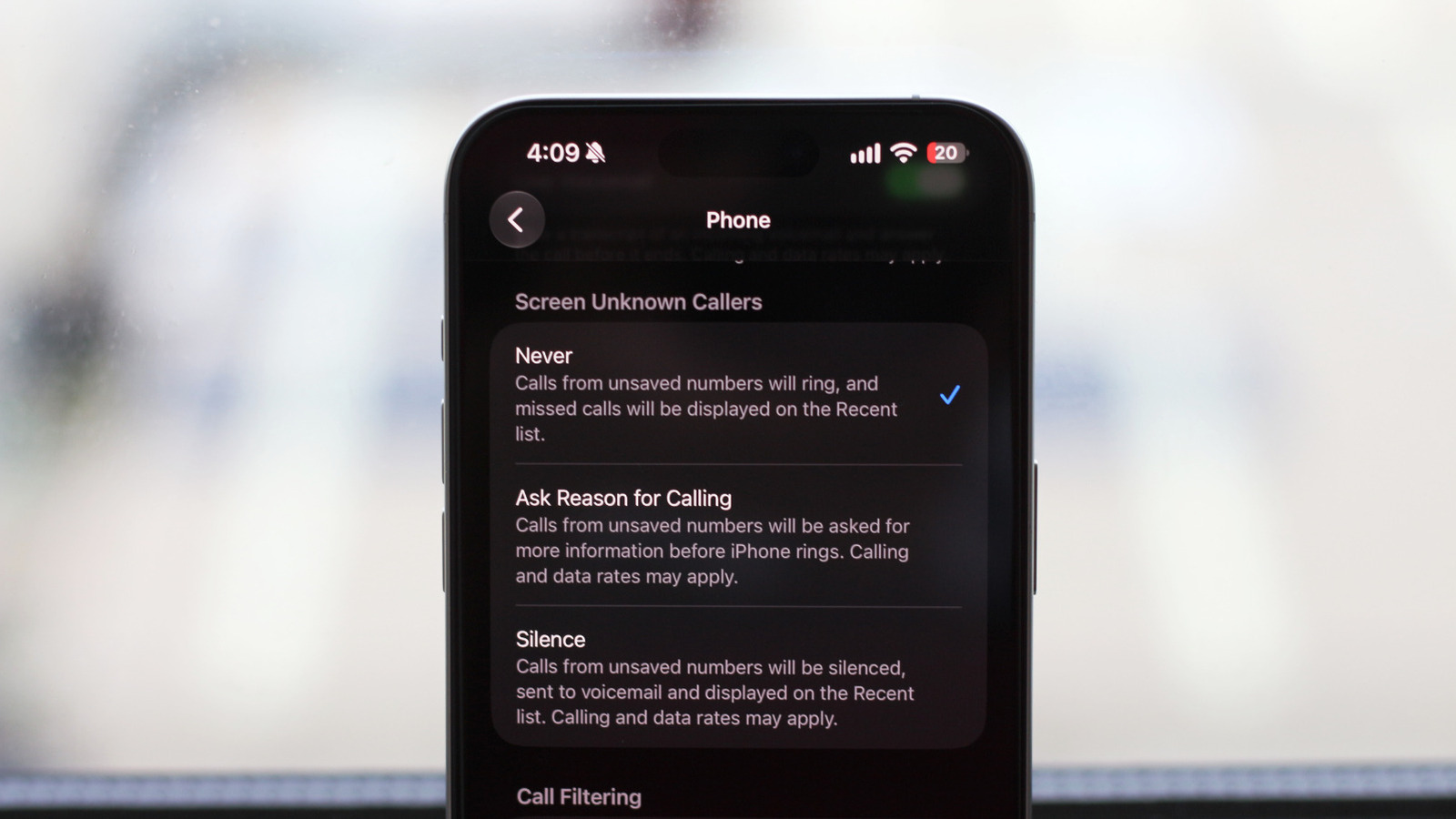
Your iPhone also provides additional settings to manage unknown callers:
- Never: Default setting where all calls ring normally.
- Silence: This option mutes incoming calls from unsaved numbers and directs them to voicemail, which you can check later.
- Ask Reason for Calling: A useful middle ground, this prompts unknown callers to state their reason for calling. You can view live transcriptions of their responses, allowing you to decide whether or not to answer.
Maintaining Contact Accuracy
While implementing these filters can significantly decrease the number of spam calls you receive, ensure you save important contacts. Regularly calling entities like doctors’ offices or important clients should be stored in your contacts to prevent accidental missed calls from legitimate sources.
By effectively using your iPhone’s call filtering and screening features, you can enjoy a quieter phone experience free from unwanted spam calls, maximizing your productivity and peace of mind.
