



Brought to you by Tello Mobile, which offers plans starting as low as $5 per month, or unlimited plans for just $25, all on America’s largest 5G network. Explore available plans at tello.com.
Exploring Enhanced Features in the iPhone Phone App
The Phone app on your iPhone continues to evolve, introducing new functionalities that enhance the calling experience. Here, we highlight two significant features currently available, along with an exciting upcoming addition set for release in iOS 27.
Hold Assist
Introduced with iOS 26, the Hold Assist feature helps users manage call wait times more efficiently. The app detects when a call is placed on hold and presents a pop-up option to activate Hold Assist.
Once activated, users will receive a notification when the other party returns to the call, allowing them to step away while remaining attentive.
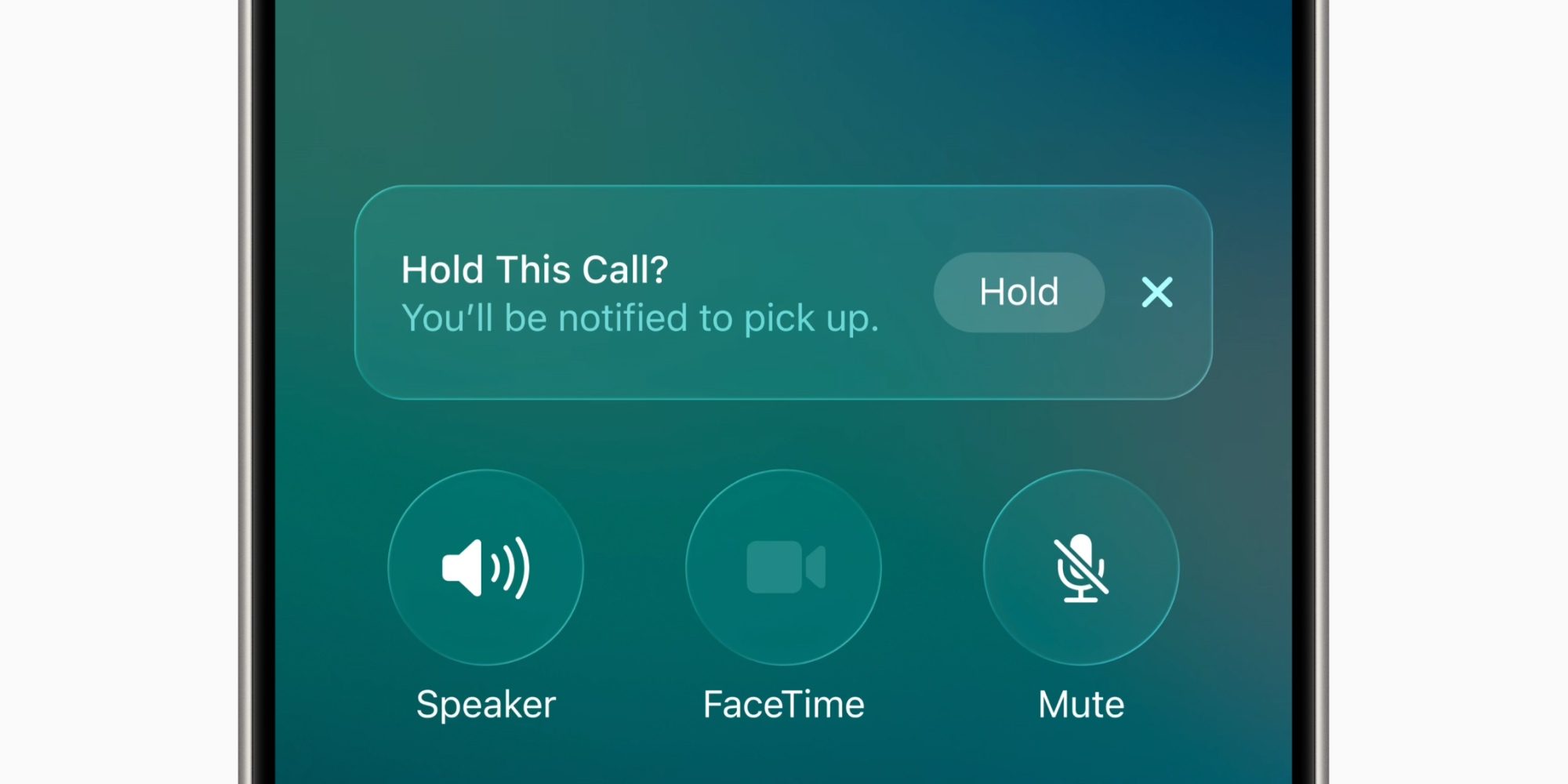
Apple describes Hold Assist as: “Automatically detect when you are placed on hold, so you can step away. iPhone will then notify you when it’s time to pick up.” To enable this feature, navigate to the Settings app, select Apps, then Phone, and toggle on the “Hold Assist Detection” option.
Call Screening
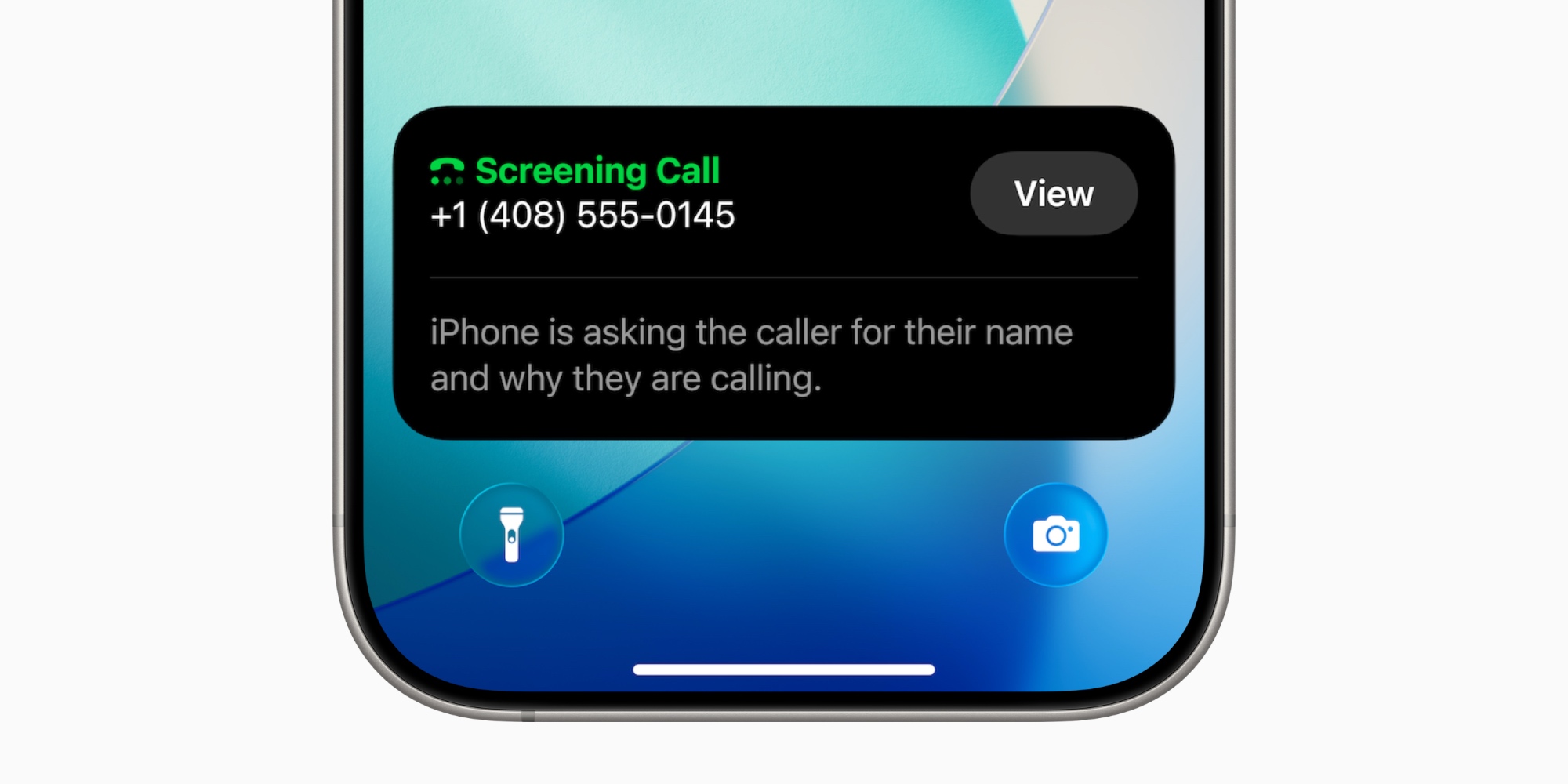
Another valuable feature from iOS 26 is Call Screening, designed to enhance privacy and control over incoming calls. When a call comes from an unsaved number, the feature prompts the caller to identify themselves and explain the purpose of their call.
This information is displayed on the Lock Screen, allowing you to decide whether to answer or send the call to voicemail, effectively reducing unwanted disruptions.
To enable Call Screening, go to Settings ⇾ Apps ⇾ Phone and activate the appropriate setting.
Upcoming Feature: Call Context
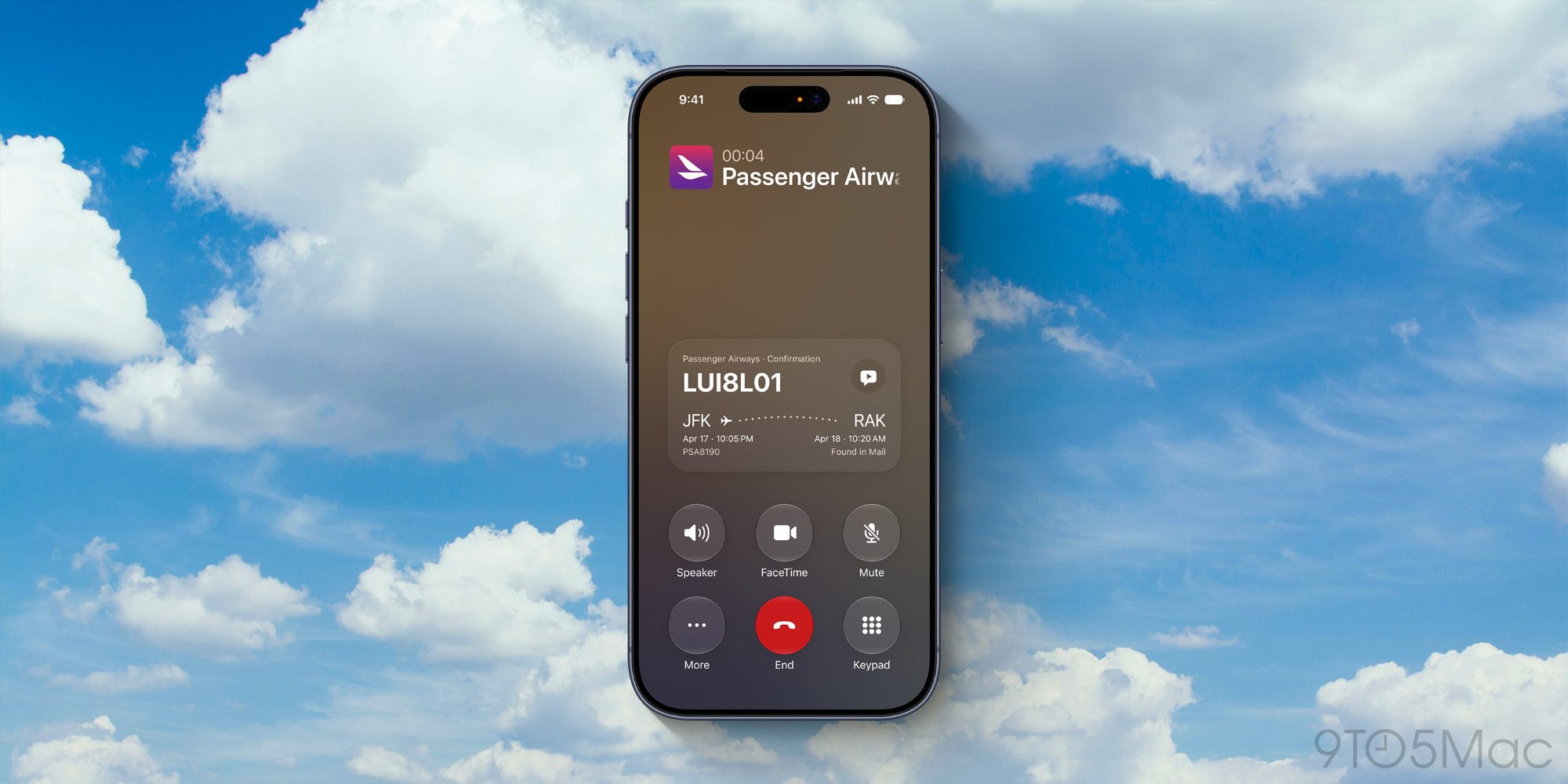
Looking ahead, iOS 27 will introduce a new feature called Call Context. This innovation harnesses Apple’s advanced intelligence to provide contextual information when calling businesses. For instance, when you contact an airline to modify a flight, the app will automatically retrieve your flight confirmation from Mail, displaying it on the call screen.
This user-friendly feature aims to assist users during potentially frustrating interactions, all while upholding privacy standards as it only accesses relevant information without compromising call confidentiality.
Call Context will be available for iPhone 15 Pro and later models.
Conclusion
While many individuals might prefer avoiding the Phone app, these new features significantly enhance user experience, making it a more manageable tool in daily communication. The addition of Call Screening particularly stands out as a necessity in combating the increasing volume of spam callers.
What are your thoughts on these features? Do you find them beneficial for your calling experience? Share your insights in the comments below.

For more information on mobile plans, visit Tello Mobile at tello.com.
