


Enhanced Functionality of ChatGPT’s Chrome Extension
OpenAI has introduced significant upgrades to its ChatGPT Google Chrome extension. Although the ChatGPT Atlas browser feature has been discontinued, the updated extension now allows ChatGPT to access and utilize browser tabs that users currently have open.
New Features of the ChatGPT Chrome Extension
The latest enhancements mean that users can directly interact with their open tabs in real-time. When the extension is installed and Google Chrome is tagged in both the web and desktop applications of ChatGPT, it can analyze content from the tabs currently in use. For instance, a user can request a comparison of different products, such as sofas, by simply asking ChatGPT to evaluate the open tabs.
Sample Queries for Enhanced Interaction
OpenAI has provided several sample queries to showcase the capabilities of the updated extension. These examples illustrate the practical applications of the tool, allowing users to easily access information and insights related to their browsing activities.
Sidebar Updates for Streamlined Access
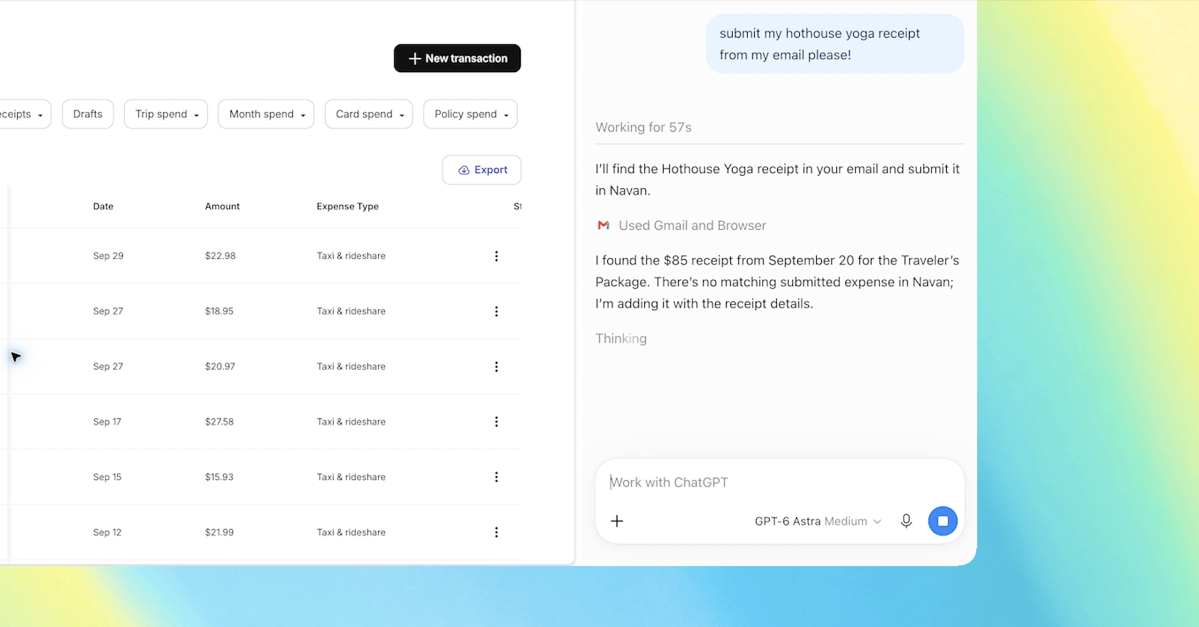
In addition to leveraging open tabs, ChatGPT has also improved its sidebar functionality. Users can now experience “the full power of ChatGPT,” along with their complete conversation history, without needing to navigate away from the page they are currently on.
Control Capabilities and Task Automation
The upgraded extension empowers ChatGPT to manage tasks within Chrome, enabling it to interact with open tabs more dynamically. Users can request actions such as sending messages, filling out forms, or downloading files. This feature is comparable to Google’s Gemini-powered “auto browse,” as it offers functionalities like organizing and grouping tabs efficiently.
Overall, these enhancements to the ChatGPT Chrome extension reflect OpenAI’s continued commitment to improving user experiences and adopting innovative approaches to assist with everyday online tasks.
