Close Menu
Newsward
  • World
  • US
    • Politics
  • Tech
    • Science/Tech
  • Money
    • Business and Market Watch
    • Crypto
    • Career
  • Health
    • Fitness
  • State of Women
  • Opinion
  • Sports
    • NFL
    • MLB

Subscribe to Updates

Get the latest creative news from FooBar about art, design and business.

What's Hot

Google Photos rolls out customizable ‘Collections’ tab redesign

October 27, 2026

Ceasefire brokered by Melania Trump goes into effect in Russian-occupied town ‘on the brink of disaster’

October 27, 2026

SOL news: Solana bug reports now cost 1 SOL as AI floods security teams with spam

October 27, 2026
Newsward
  • World
  • US
    • Politics
  • Tech
    • Science/Tech
  • Money
    • Business and Market Watch
    • Crypto
    • Career
  • Health
    • Fitness
  • State of Women
  • Opinion
  • Sports
    • NFL
    • MLB
Subscribe
Newsward
Home » Chrome 156 for Googlebook rolling out with 14 updates
Technology

Chrome 156 for Googlebook rolling out with 14 updates

By October 27, 2026No Comments3 Mins Read
Facebook Twitter Pinterest LinkedIn Tumblr WhatsApp VKontakte Email
Chrome 156 for Googlebook rolling out with 14 updates
Share
Facebook Twitter LinkedIn Pinterest Email

Chrome 156 for Googlebooks: Key Updates and Features

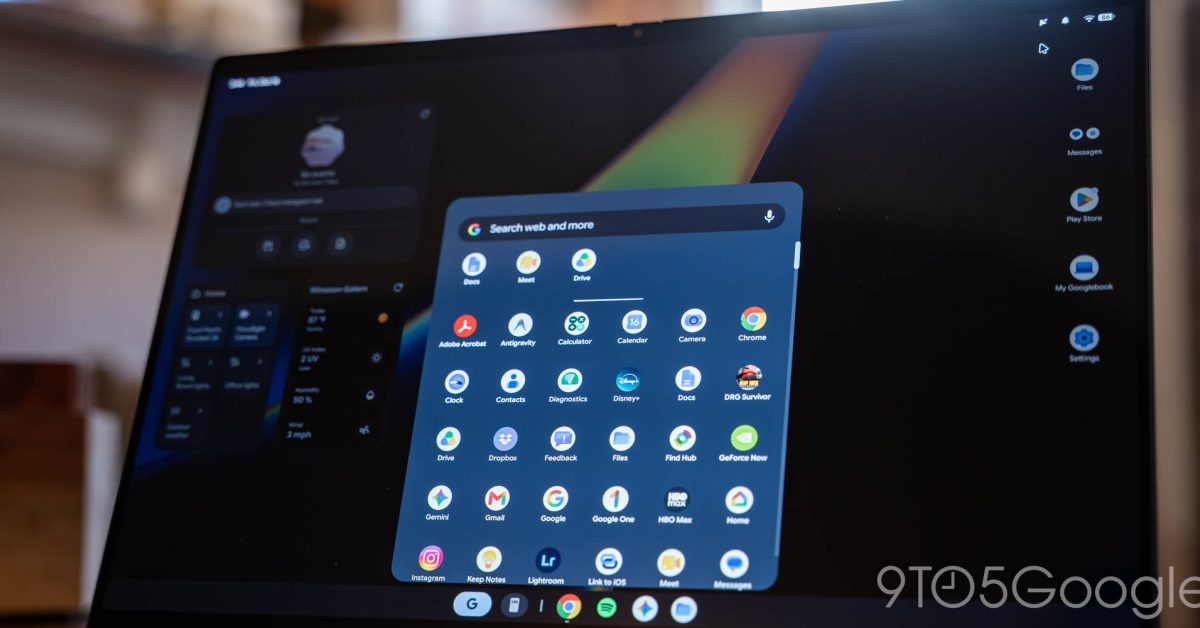
Google has introduced version 156 of Chrome specifically for Googlebooks, unveiling numerous enhancements and bug fixes that build on the previous update released two weeks ago.

Notable New Features

Among the new features introduced is the capability for “Hover Tooltips” within the AI Mode menu. Now, users can see tooltips when hovering over items in the address bar’s AI Mode, providing them with greater context and usability.

Improvements to Keyboard Shortcuts

Several improvements have been made to keyboard shortcuts, enhancing overall user experience:

  • Fullscreen Switching: The Alt+Tab function now allows users to switch between windows on fullscreen sites and applications effortlessly, aligning with the functionality available on ChromeOS, Mac, and Windows.
  • New Tab Background Query: With Alt+Shift+Enter, typed queries can be opened in a new background tab, allowing users to stay on their current page while searching.
  • Multi-Line Editing: For users when editing text in the address bar, the up and down arrows now facilitate easier navigation across multi-line entries.

Website-Specific Enhancements

The update includes improvements tailored for specific platforms:

  • Google Docs: Users can now copy large selections and tables more efficiently.
  • Facebook Live: Enhancements have been made to improve the performance of Facebook Live video streams.
  • Stability Fixes: General stability improvements apply to third-party applications like 1Password and others, as well as overall Chrome tab functionality.
  • Site Icons: Icons for sites and Google display correctly when accessing the address bar from webpages or search results, and stale icons are cleared when the URL bar resets.

Usability Fixes

Several usability fixes have also been implemented to streamline user interactions:

  • Sign-In Prompts: The close (X) button now effectively closes third-party sign-in prompts.
  • File Downloads: Users can now specify download locations via a “Save As” dialog, resolving any issues with file naming for duplicates.
  • Incognito Tab Interactions: A context menu is now accessible when right-clicking links on the Incognito new tab page.

Continued AI Mode Enhancements

The advancements in AI Mode include:

  • Animation Timing: The AI Mode animation now synchronizes with expansion completions for a smoother user experience.
  • Search Additions: A new “Add to your search” header streamlines the process for integrating additional tabs and files into AI Mode searches.
  • AI Mode History: The address bar accurately displays prompts, including “Ask anything” with a blinking cursor for better interaction.

Conclusion

The rollout of Chrome 156 for Googlebooks, available through the Play Store, follows a week after its stable release on desktop and mobile devices. While not yet fully deployed for Android phones and tablets, this version emphasizes improved functionality and user experience across the board.


Add 9to5Google as a preferred source on Google

FTC: We use income earning auto affiliate links. More.

Chrome Googlebook Rolling Updates
Share. Facebook Twitter Pinterest LinkedIn Tumblr WhatsApp Email
Previous ArticleJay-Z to headline Super Bowl halftime show
Next Article Warriors observations: Yaxel Lendeborg stars in win vs. Nuggets – NBC Sports Bay Area & California

Related Posts

Google Photos rolls out customizable ‘Collections’ tab redesign

October 27, 2026

Silent Hill Remake Targeting 2027 Release, Cast Details Revealed

October 27, 2026

Epic Games CEO calls Steam’s AI disclosure policies “a political act”

October 27, 2026

The AI PS5 Homebrew Gold Rush Is Why GTA 6 Can’t Be Pirated

October 27, 2026

Top Articles

Can You Actually Make Money as an Indie AI Filmmaker in 2026?

October 22, 2026

MOFCOM’s New Rules and the Future of Chinese AI

October 22, 2026

‘Bordering on angry’: The state of play as US midterms enter final month | US Midterm Elections 2026 News

October 3, 2026

Bryter: Women Gamers in 2026

October 2, 2026

Don't Miss

Technology

Google Photos rolls out customizable ‘Collections’ tab redesign

By October 27, 20260

Google Photos Unveils New Customization Features for Collections Tab Overview of the Redesign Google Photos…

Ceasefire brokered by Melania Trump goes into effect in Russian-occupied town ‘on the brink of disaster’

October 27, 2026

SOL news: Solana bug reports now cost 1 SOL as AI floods security teams with spam

October 27, 2026

Warriors observations: Yaxel Lendeborg stars in win vs. Nuggets – NBC Sports Bay Area & California

October 27, 2026

Subscribe to Updates

Subscribe to our newsletter and stay updated with the latest news and exclusive offers.

About Us
About Us

NEWSWARD is an independent news and media company covering the economy, politics, international affairs, and a changing world. Through articles, podcasts, video, and candid conversations, we connect major events to their impact on your life, your livelihood, and your future.

Our purpose is simple: help you understand what matters, think critically, and make informed decisions.

See what’s happening now. Know what’s next.

Don't Miss

Google Photos rolls out customizable ‘Collections’ tab redesign

October 27, 2026

Ceasefire brokered by Melania Trump goes into effect in Russian-occupied town ‘on the brink of disaster’

October 27, 2026

SOL news: Solana bug reports now cost 1 SOL as AI floods security teams with spam

October 27, 2026
Most Viewed

Can You Actually Make Money as an Indie AI Filmmaker in 2026?

October 22, 2026

MOFCOM’s New Rules and the Future of Chinese AI

October 22, 2026

‘Bordering on angry’: The state of play as US midterms enter final month | US Midterm Elections 2026 News

October 3, 2026
  • About Us
  • Contact Us
  • Privacy Policy
  • Terms and Conditions
  • Disclaimer
© 2026 Newsward. All Rights Reserved.

Type above and press Enter to search. Press Esc to cancel.