Google Photos Unveils New Customization Features for Collections Tab
Overview of the Redesign
Google Photos has introduced a significant overhaul of its Collections tab for Android users, following the implementation of a floating navigation bar in July. This redesign emphasizes user personalization and control over how content is displayed.
Previous Layout vs. New Customization
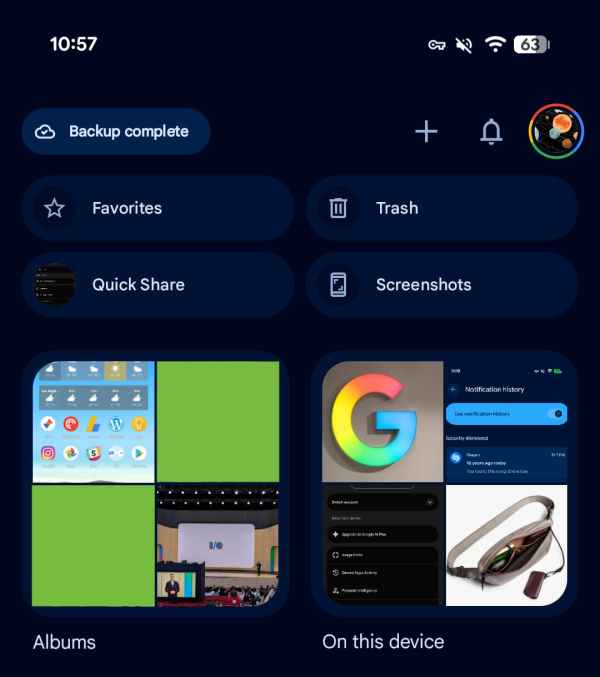
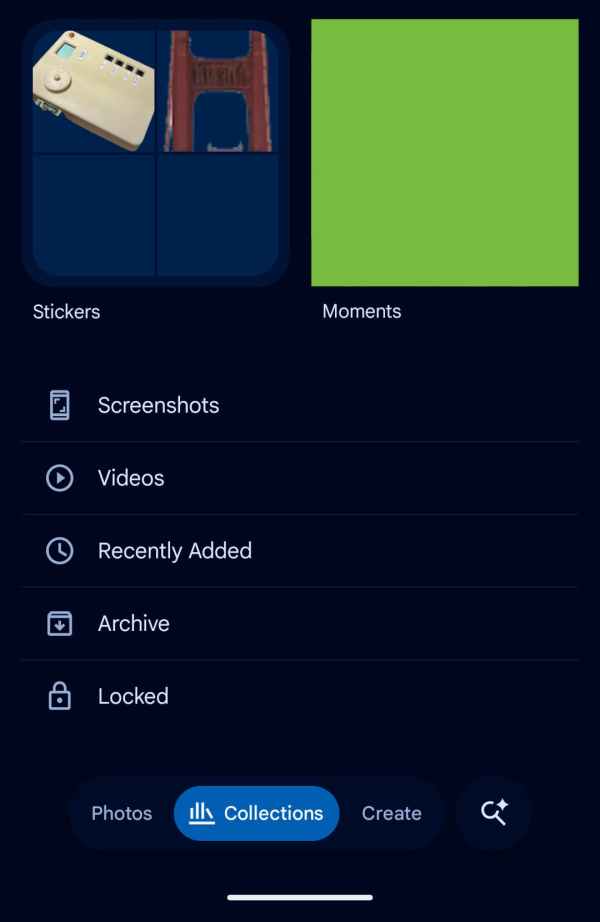
The prior iteration of the Collections tab featured a standard 2×2 grid setup. Important sections like Favorites and Trash occupied the top row, while the bottom displayed frequently used categories such as Albums and People & Pets, complemented by a list of recently added media elements.
Old Layout
New Features in the Collections Tab
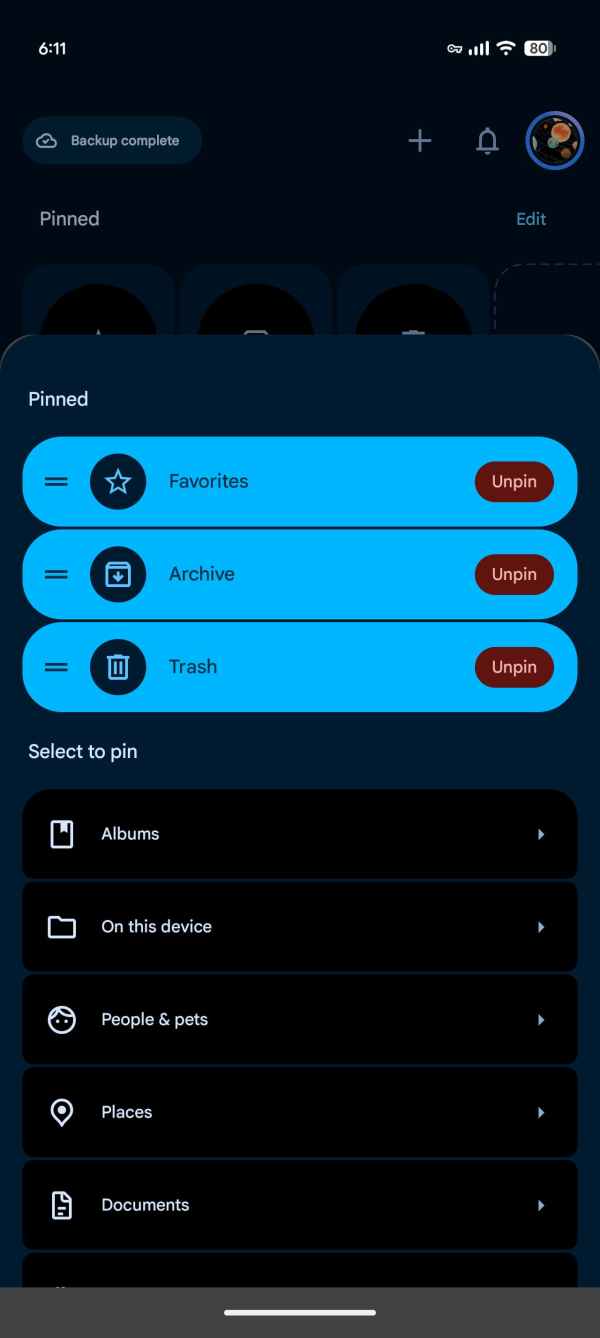
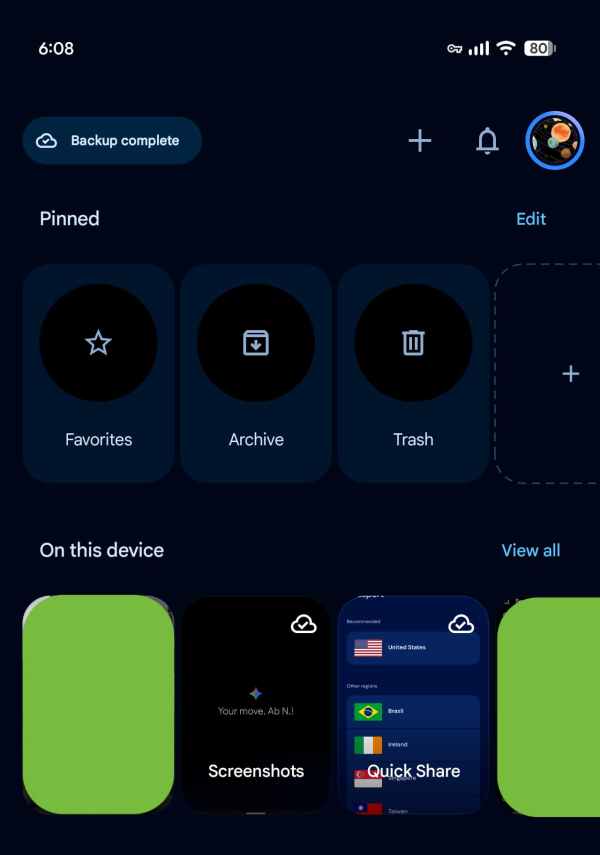
The new version allows for considerable customization. Central to this update is the introduction of the “Pinned” section, where users can curate which cards are featured, with the initial default set to display Favorites, Screenshots, and Trash. This section can also be completely removed if preferred.
Subsequent carousels will present options including On this Device, Albums, People & Pets, Wardrobe, Places, and Documents. An option to view all content in either grid or list format simplifies navigation. Users can adjust the visibility of each section and reorganize their order to better suit personal preferences.
New Layout
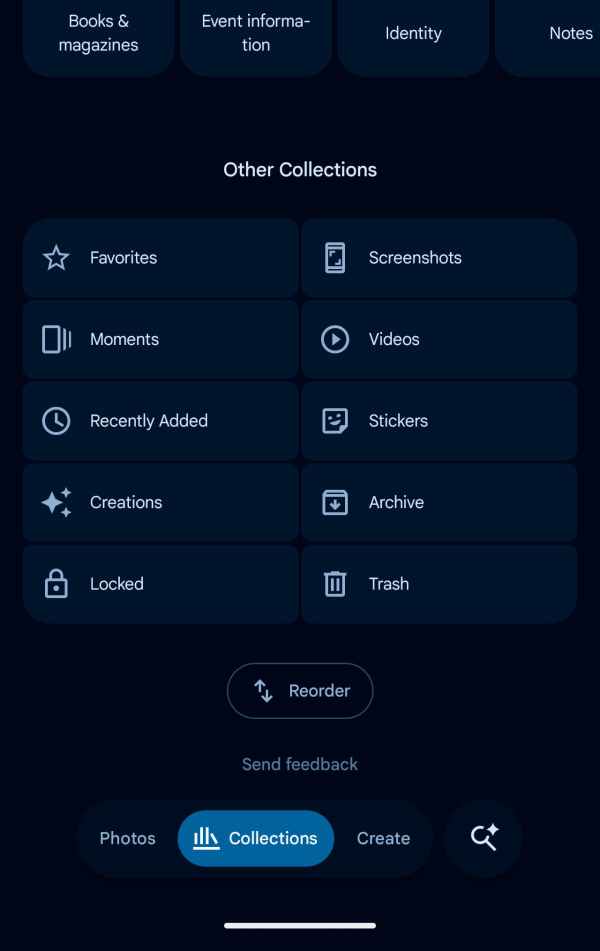
Additional Layout Options
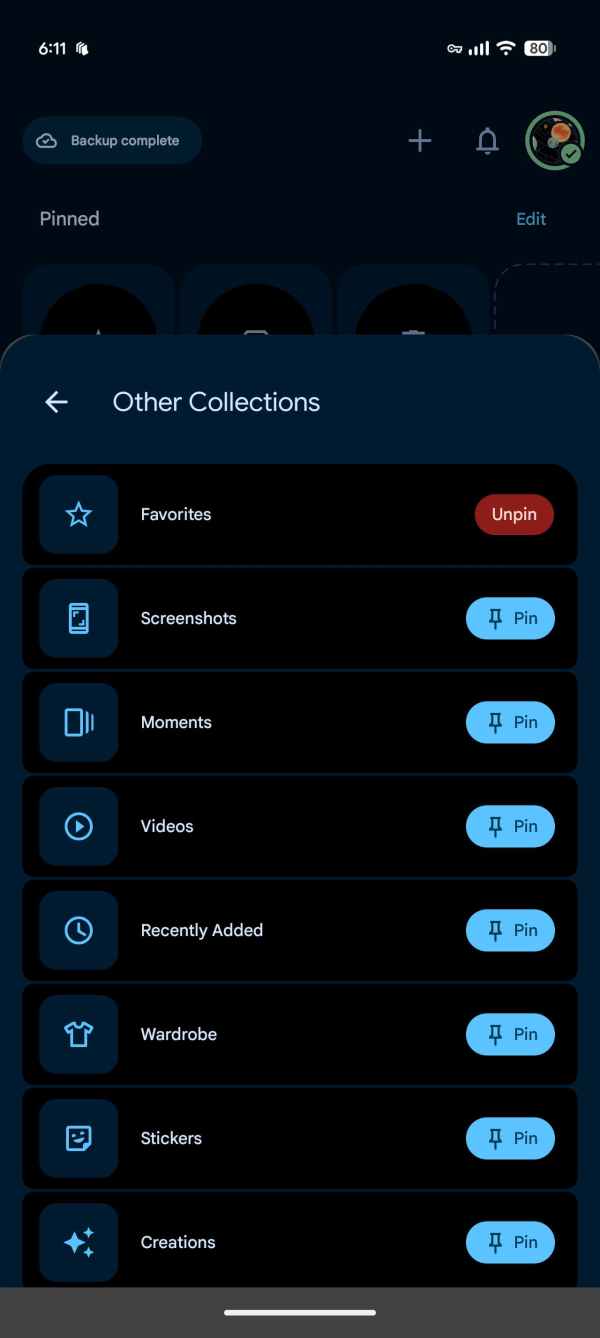
The comprehensive layout also includes a grid for other collections like Favorites, Screenshots, Moments, Videos, and Trash. The “Reorder” functionality is conveniently located at the bottom, allowing for easy arrangement of collections.
This redesign is being rolled out with the latest Google Photos version 7.97. Users have found success in accessing these updates by simply restarting their devices before opening the app.