


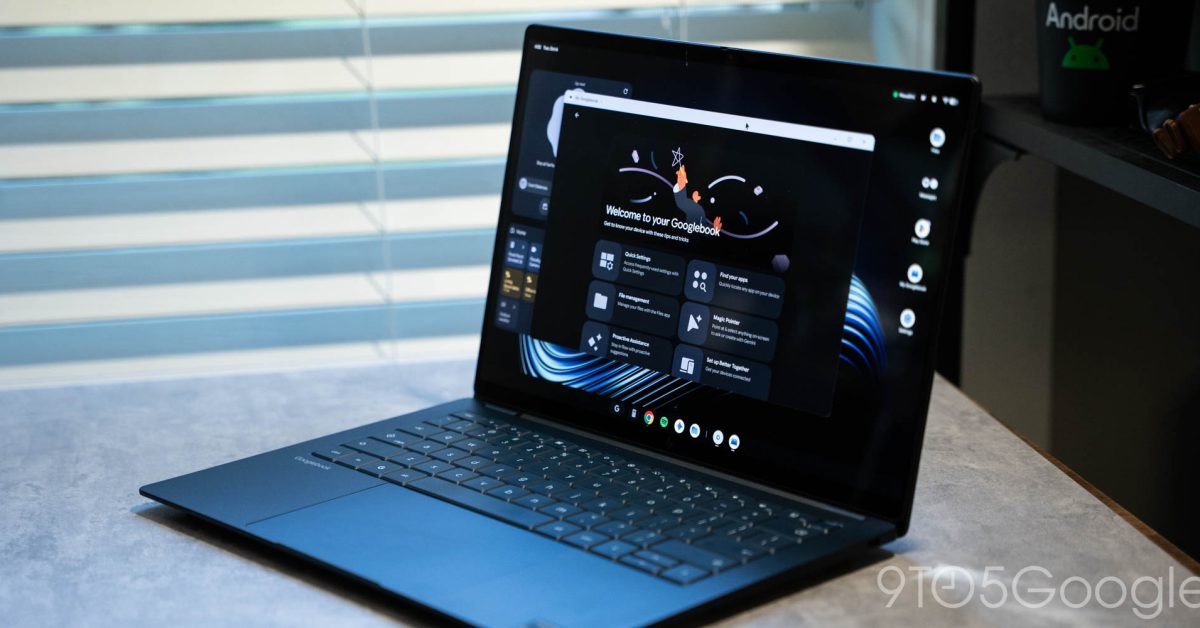
The Challenges of App Accessibility on Googlebook
After utilizing a Googlebook for nearly a week, it has become evident that compatibility issues with applications are a significant concern. Despite its potential, the platform faces considerable hurdles, particularly in the realm of app performance.
The Foundation of Googlebook Apps
Similar to the Chromebook, the Googlebook is anchored on an Android-based platform. This structural choice offers a robust foundation for future enhancements; however, it lacks immediate application viability. Without a decisive initiative from Google and its development partners, users encounter a challenging experience right at the outset.
The Absence of Desktop-Class Applications
A major shortfall lies in the unavailability of widely-used desktop applications, such as the Adobe suite. This absence creates a vacuum where users cannot find effective alternatives that have been staples in the Windows and macOS environments for many years. Moreover, the recent removal of the limited Linux support that was previously available on ChromeOS adds to the complications users face.
The Google Play Store Dilemma
The primary avenue for obtaining apps on Googlebook is the Google Play Store, which primarily features Android applications. Over time, this approach may improve, but as of now, users contend with inconsistent quality across available applications due to Google’s introduction of five distinct quality labels:
- Built for mobile: Not tested for desktop use.
- Better on the website: Web version is fuller-featured and performs better.
- Compatible with Desktop: Functions efficiently with mouse and keyboard controls.
- Optimized for Desktop: Adjusted for a more comfortable desktop use.
- Made for Desktop: Specifically designed for desktop capabilities.
It is important to note that these labels are determined by Google, leaving developers without direct input on app categorizations.
User Experience Challenges
This classification system can confuse users. For example, the Play Store may direct users toward certain Android apps, claiming these are ideal for desktop, yet providing no guidance on utilizing their more efficient website alternatives.
Telegram exemplifies this frustration; while its Android app is labeled as “better on the website,” its performance remains problematic on the Googlebook, with issues such as the enter key failing to send messages. Likewise, the web application does not deliver a significantly improved experience, occasionally freezing and misbehaving.
Other popular applications, like Slack, present similar issues. The Android app offers a subpar experience on non-mobile devices, while the web app lacks installability, which is a considerable drawback for users who rely on it for work communications.
Spotify’s designation as “optimized for desktop” is also questionable; despite being functional, the user interface does not scale effectively. Users may find the experience lacking compared to standard desktop platforms, questioning the accuracy of Google’s optimization claims.

Looking Ahead
Currently, Googlebook faces a tough path ahead. As it stands, despite a promising foundation, immediate user experience remains fraught with frustration. This raises the question: why should users choose Googlebook over more established alternatives such as high-quality Windows laptops or even the MacBook Air, both of which are available at competitive price points?
As Googlebook evolves, user feedback will be vital in addressing these application issues. Share your thoughts in the comments regarding how these challenges shape your perspective on the Googlebook platform.
Additional Insights
For updates and more information, follow Ben on social media: Twitter, Threads, Bluesky, and Instagram.
