


Google Introduces Gemini AI Features for macOS Users
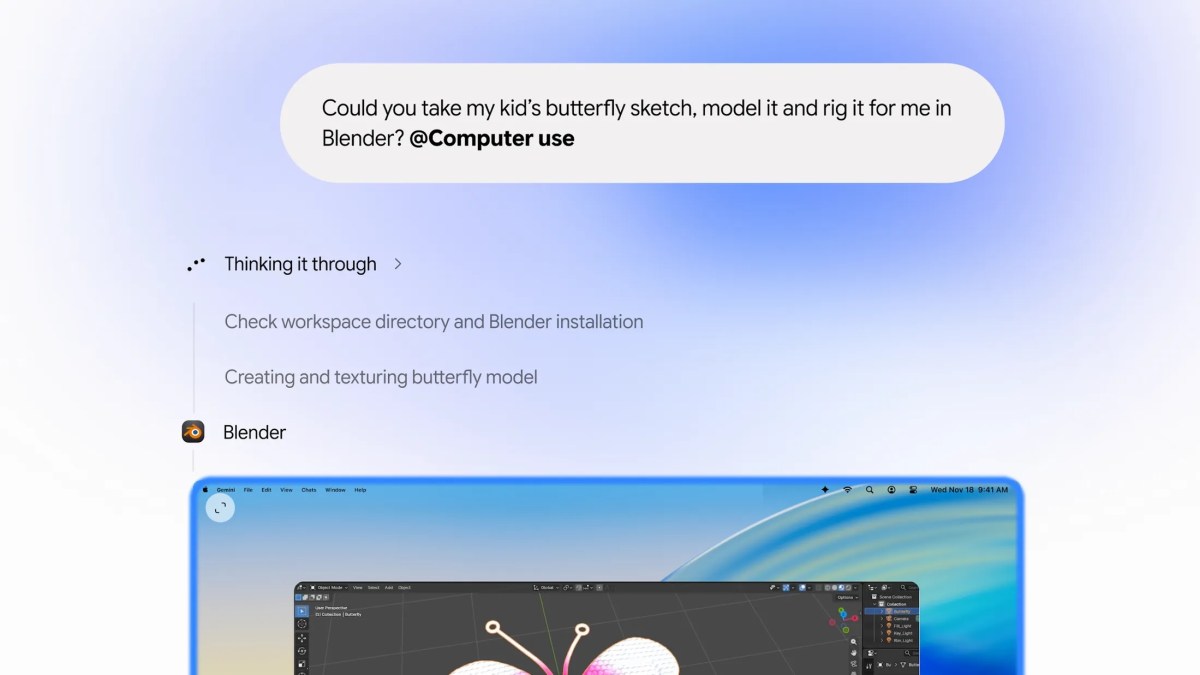
On Thursday, Google unveiled significant updates to its Gemini desktop application for macOS, introducing advanced AI capabilities that empower users to accomplish tasks seamlessly. The new features allow Gemini to perform actions directly within users’ native Mac applications and browse websites autonomously, thereby enhancing productivity.
Delayed Entry in the AI Market
This launch comes as a late entry in the competitive landscape of AI desktop applications, where other major players like OpenAI, Anthropic, and Meta have already integrated similar features into their offerings. Furthermore, Google recently expanded its Gemini “Tasks” functionality, which enables the AI to assist users with various online tasks, including signing into websites, making purchases, and scheduling appointments.
Revamped AI Agent for Enhanced Family Organization
Additionally, Google has recently allowed early adopters to test its redesigned “CC” AI agent, designed to help families manage emails, calendars, chats, and task lists more effectively.
Direct Computer Interaction by AI
The latest release of Gemini’s computer use feature represents a significant advancement in agentic AI technology. This function allows the AI to execute multistep tasks on the user’s Mac, ranging from managing local files to interacting with web applications. As users issue commands to the AI, they can observe a live preview of the actions being undertaken in their chat interface, all while retaining full control over their computer.
User Control and Functionality
Users of the Gemini application will have the ability to pause or stop the AI’s actions at any moment and must approve tasks before they are executed. This level of oversight is crucial for ensuring user confidence in the functionalities provided by AI.
Practical Applications
Google suggests that the new computer use feature will be beneficial for a variety of mundane tasks, such as:
- Filling out online forms
- Executing repetitive tasks across multiple files
- Organizing documents into folders based on specified criteria
- Generating slideshows from files or online dashboard information
Availability and Future Expansion
Currently, this feature is available in English for users in the United States, with access requiring the Gemini app for Mac and a subscription to Google AI Plus, Pro, or Ultra. However, Google has not announced a timeline for expanding this feature to additional markets or platforms.
For further insights into Google’s advancements in AI technology and Gemini applications, feel free to explore various resources and articles on the topic.
