


Windows 11 November 2026 Preview Updates Overview
In early November, Microsoft introduced a series of updates across its Windows 11 preview builds, focusing on enhancements that impact various features including Search, gaming, and accessibility. This article summarizes key updates derived from the latest pre-releases of Windows 11.
Insider Builds Represented
The tested features are available in the following Windows 11 Insider builds:
- Experimental Channel: Builds 28120.3454, 26320.9876, 26340.9882, and several others.
- Beta Channel: Builds 28020.3445, 28020.3382, and others.
- Feature Platforms: Build 29708.1001 which includes additional enhancements for Windows Hello and Cloud Rebuild.
Key Features and Improvements
Enhanced Windows Search Experience
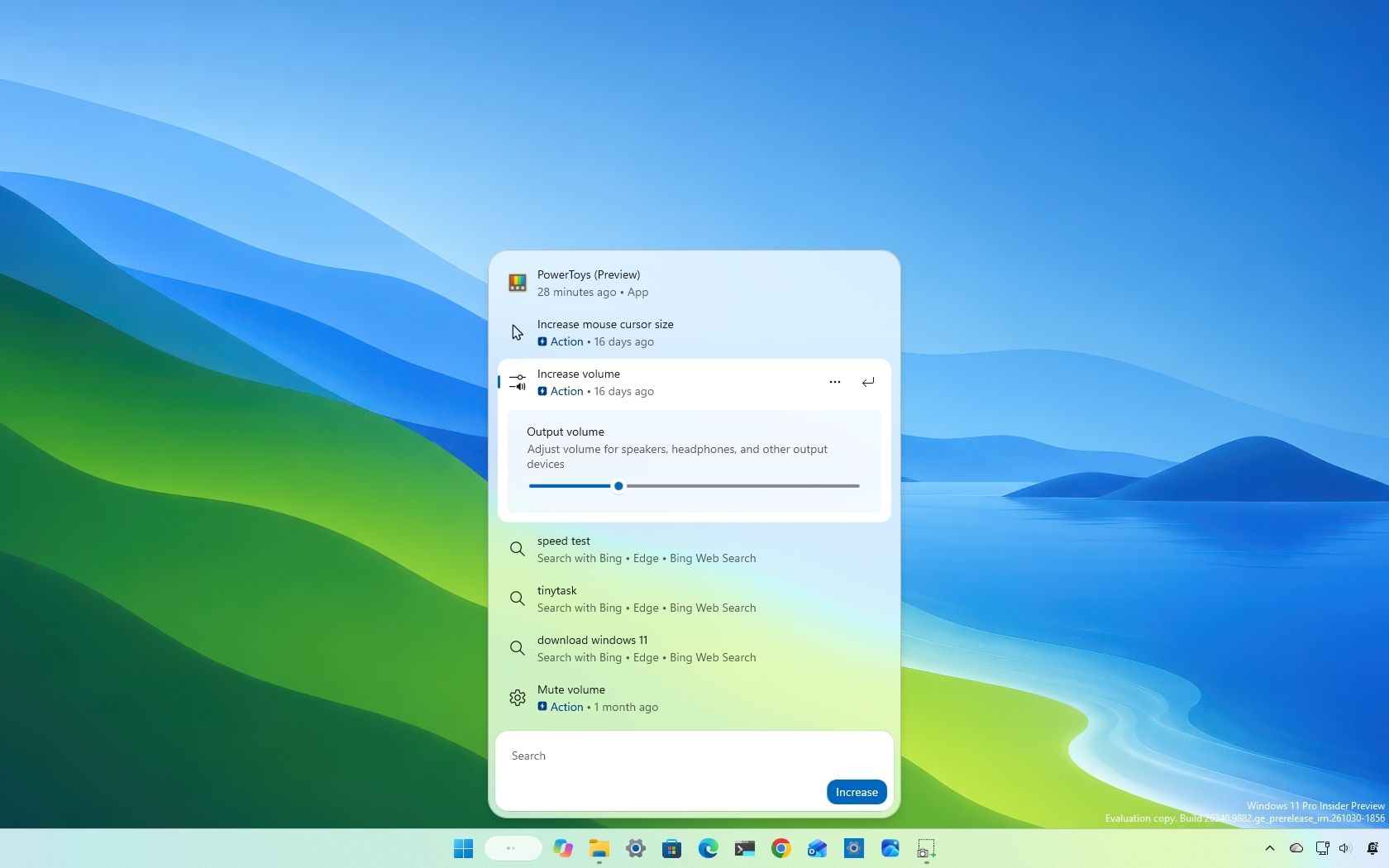
The Windows Search tool has received a considerable upgrade aimed at transforming it into a multifunctional command center. The latest features enable users to:
- Adjust system settings like brightness and volume directly through the Search interface.
- Access richer web search results that include location data, metadata, and more.
- Utilize Phone Link for managing mobile tasks without using the phone.
- Find applications and games in the Microsoft Store directly from Search.
Gaming Enhancements in Xbox Mode
Updates to Xbox mode within the Windows 11 ecosystem aim to streamline interactions through a new Gaming Task View interface. This interface now includes:
- Quick Settings access that allows users to modify settings without quitting their games.
- Updated access to “Exit to Desktop” and power options through the Gaming Task View interface.
Microsoft 365 Integration
Improvements have also been made to integrate Microsoft 365 functionalities directly into Windows 11 settings. These updates include:
- A new view for Microsoft 365 Family subscribers to check shared storage within the Settings app.
- Options to upgrade subscription plans directly from the Settings application, removing the need to use a web browser.
Windows Hello Enhancements
Updates to Windows Hello aim to improve access through facial recognition, particularly in low-light situations. Key features include:
- Users can enter their PIN immediately without waiting for biometric verification.
- Increased screen brightness during facial recognition to enhance success rates in dark environments.
Accessibility Improvements
Live Captions Customization
The Live Captions feature now allows users to select specific audio sources for transcription, enhancing accessibility in varied environments.
Magnifier Updates
Magnifier now provides:
- Independent zoom levels for multiple monitors.
- Gestures for touchscreens and touchpads, making it easier to navigate in larger displays.
Privacy Controls for Applications
New granular privacy settings enable users to control which desktop applications have access to the camera, microphone, and location services. This feature enhances user autonomy over application permissions.
Cloud Rebuilding and Security Enhancements
The Cloud Rebuild feature now includes a “Remove & sanitize” option that securely wipes data before giving a PC to someone else. This is particularly useful for maintaining data privacy during device repurposing.
Updates to File Explorer
Search functionality within File Explorer has improved significantly, as searches now utilize Windows Search indexing for faster results. There are also enhanced indicators for loading progress when accessing network drives.
Other Noteworthy Updates
Additional enhancements include:
- A refreshed Run dialog interface, providing a modern look.
- Taskbar customization allowing users to switch between open windows more conveniently.
- Remote Lock feature for safeguarding lost devices without data deletion.
Conclusion
These updates reflect Microsoft’s ongoing commitment to refining Windows 11, focusing on practical enhancements that improve user experience, privacy, and accessibility. As the operating system continues to evolve, these features demonstrate significant steps toward a more cohesive and functional user environment.
