


Googlebook Laptops: Unpacking Software Challenges and Ecosystem Integration
Introduction to Googlebook Laptops
Google has recently launched its new line of laptops, branded as Googlebooks, which aim to offer a fresh alternative to the traditional Windows and macOS operating systems. While the hardware of these devices, manufactured by various original equipment manufacturers (OEMs), shows promise—from decent to high-quality specifications—their software seems to pose significant challenges in the current iteration, as noted by testers from The Verge.
Initial Impressions of Googlebook OS
Despite the potential benefits for Android users looking for a coherent and integrated computing experience, the transition from ChromeOS to the Googlebook OS reveals several shortcomings. Reports from the testing team indicate that what was expected to be rapid development due to Android’s adaptive nature has instead resulted in noticeable setbacks.
Comparative Software Experience
Expectations were high for the Googlebook OS to surpass ChromeOS; however, many users find its functionality lacking. Key limitations include:
- The inability to run multiple Google accounts on Chrome—a feature users have grown to depend on.
- Loading Android applications that were slow to adapt to the laptop format, often closing some app functionalities inappropriately.
- An interface that sometimes mimics mobile environments rather than fully utilizing a laptop’s capabilities.
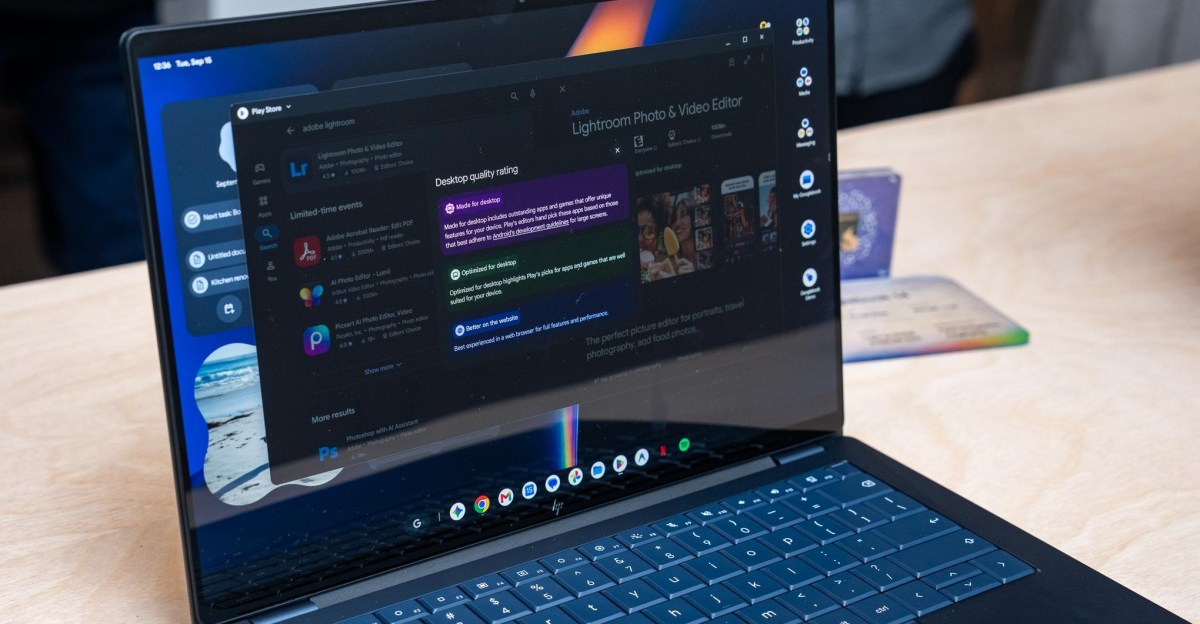
For instance, one user reported that the messaging application Signal implemented non-standard keyboard shortcuts, and applications such as Photoshop and Lightroom did not perform optimally, lacking the robust features typically expected in desktop applications.
Developer Engagement and App Optimization
The success of the Googlebook OS largely hinges on the adaptation of third-party developers. Currently, many applications do not show optimal performance or user experience on Googlebooks. Notably:
- Streaming apps such as Netflix often launch in full-screen tablet modes rather than in responsive windows.
- During testing, issues were routinely encountered where resizing app windows would not display content correctly, suggesting that certain apps are not optimized for a laptop environment.
Many developers continue to tailor their offerings primarily towards touch-centric experiences, potentially overlooking the expectations of traditional laptop users.
Challenges with Linux Applications
With the addition of a Linux environment, which allows running more traditional applications, Googlebooks hope to appeal to power users. However, this functionality is not seamless as:
- Installed Linux applications cannot be integrated into the main operating system’s taskbar or app tray, leading to a fragmented experience.
- File sharing between Linux and Android applications poses significant difficulties, creating an inefficient workflow for users needing to transition seamlessly between platforms.
Integration of Android Features
One of the touted advantages of the Googlebook is its integrated feature set with Android devices, allowing users to respond to notifications and share files effortlessly. However, inconsistencies in connectivity and transfer speeds have led to user frustration. Instances where:
- File transfers took considerable time through the Files app, stoking dissatisfaction.
- Quick Share malfunctions disrupt the intended seamless experience, leading to varied performance outcomes.
While there are moments of cohesive interaction, these are tempered by unreliability, indicating that more work is required to achieve true integration.
Conclusion
In summary, the introduction of Googlebook laptops marks an ambitious effort to unify the Android and laptop environments. However, significant hurdles remain in software functionality, app performance, and user experience. There is optimism that with constructive feedback and sustained development efforts, the Googlebooks could realize their full potential as viable alternatives to existing laptop operating systems. Developers must align closely with this evolution to enhance usability and broaden the appeal of these innovative devices.
