


YouTube Revamps Mobile Experience with Custom Feeds and New Tab Arrangement
Changes to YouTube’s Mobile Interface
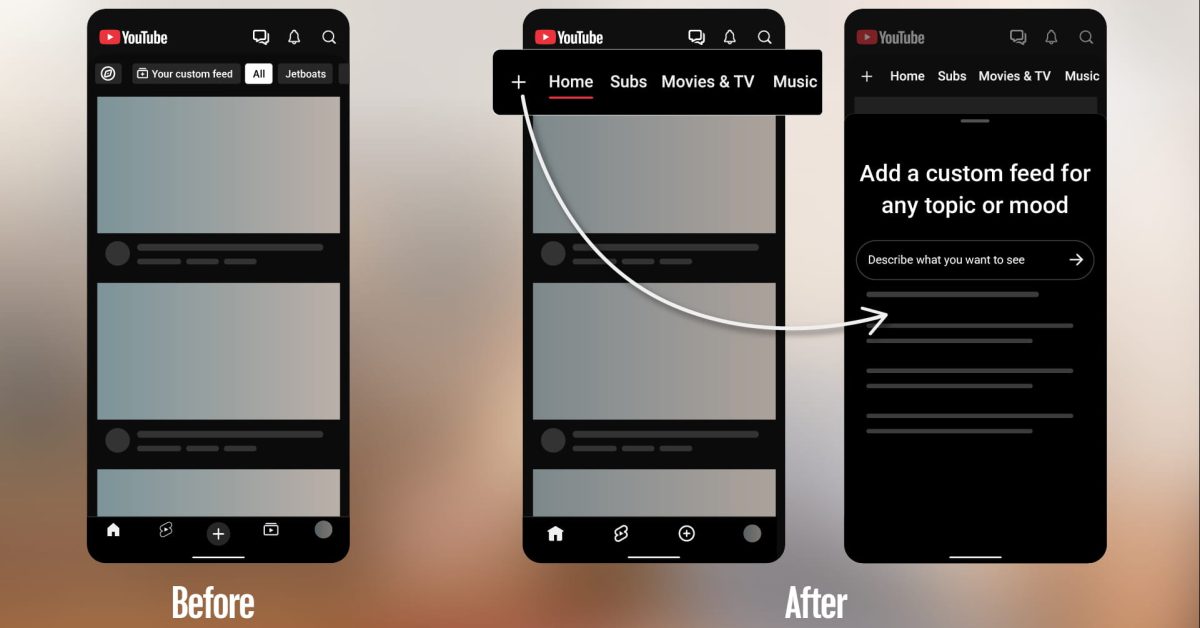
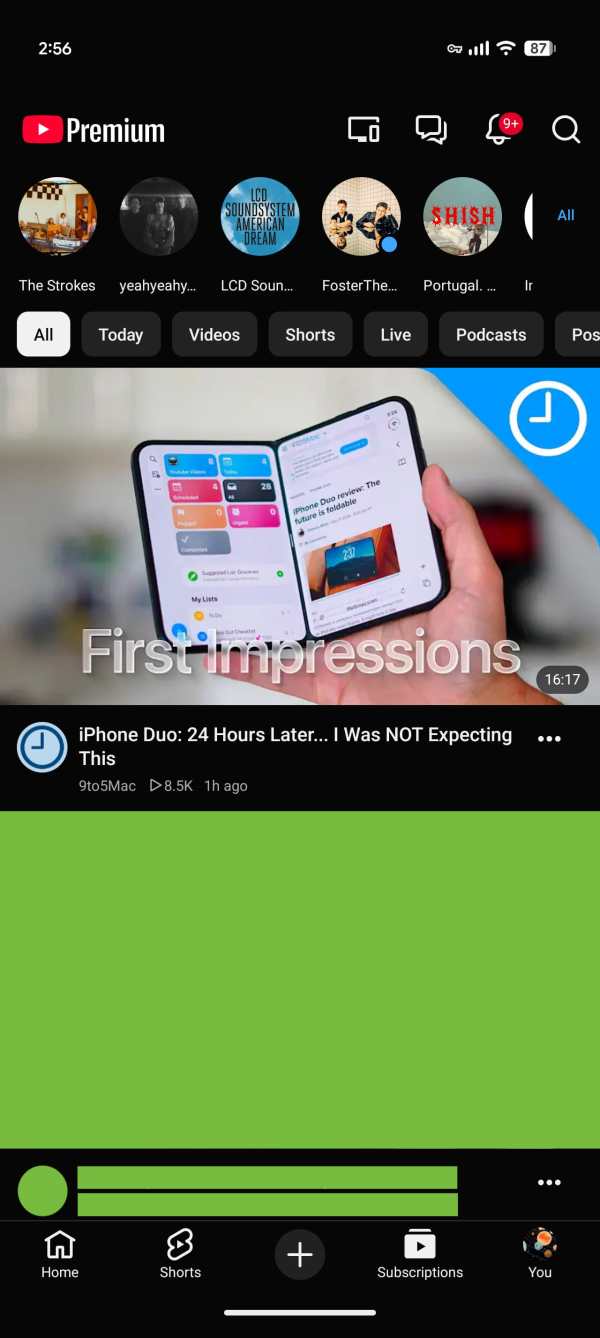
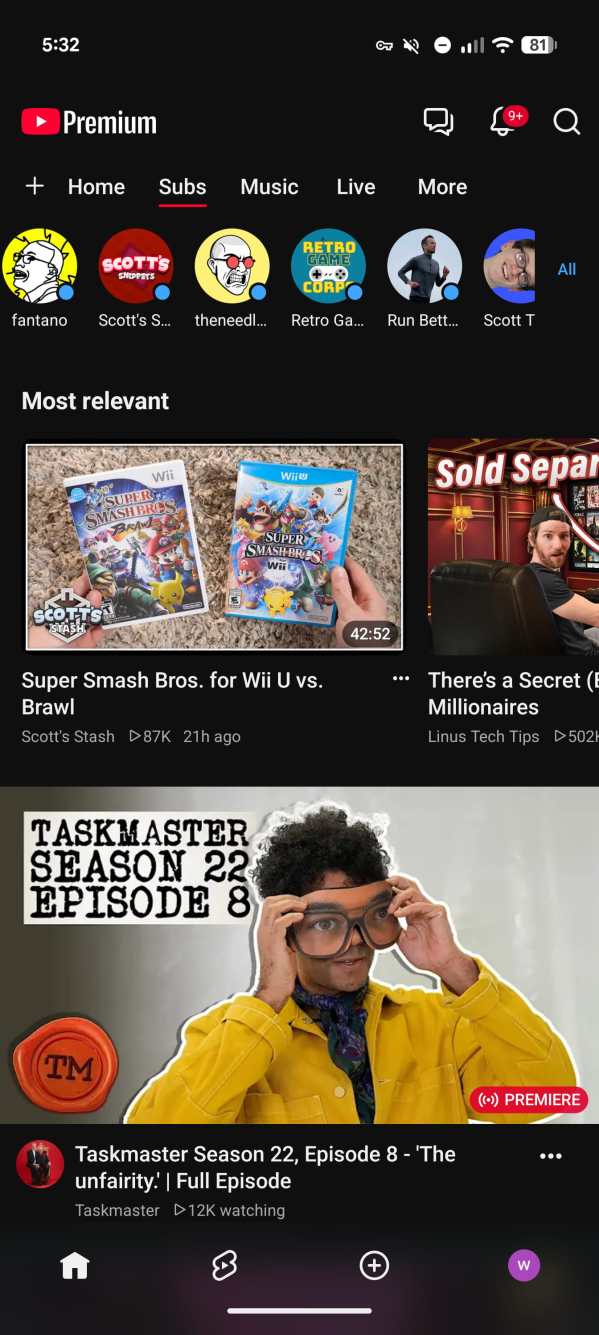
YouTube is implementing significant updates across its Android and iOS applications, which includes the removal of the Subscriptions tab from its traditional position in the bottom navigation bar. Instead, users will find this feature repositioned in the enhanced top bar of the Home tab.
This redesign is part of an initiative aimed at creating a more integrated and user-friendly experience on mobile devices. The updated interface has been in testing since earlier this year, and the Subscriptions tab will now be positioned second, directly after the Home tab, marked by a distinctive red underline that may require some adjustment for longstanding users.
Visual Comparison: Old vs. New Navigation
Previous Layout
New Layout
Introduction of Custom Feeds
A noteworthy addition accompanying the navigation update is the launch of custom feeds. This feature is designed to allow users to personalize their viewing experience by describing their interests in their own words. Users can tap a “+” button within the Home feed and specify topics or channel themes they want to see.
“Tap ‘+’ at the top of your Home feed and describe the topic, channels, or vibe you’re looking for (for example, ‘help me unwind after work with guided meditations under 10 minutes’). You’ll then get a new feed tailored to your interests for you to explore.”
These tailored feeds will be accessible as top tabs following the Home and Subscriptions sections, making it easy for users to switch back to their desired content. YouTube users on the free tier can save up to three active custom feeds, while those subscribed to YouTube Premium can store as many as eight.
Rolling Out and Availability
The custom feed feature is initially launching for mobile and desktop users in English and is targeted at signed-in viewers located in the United States. Expansions to additional countries are expected in the near future.
