


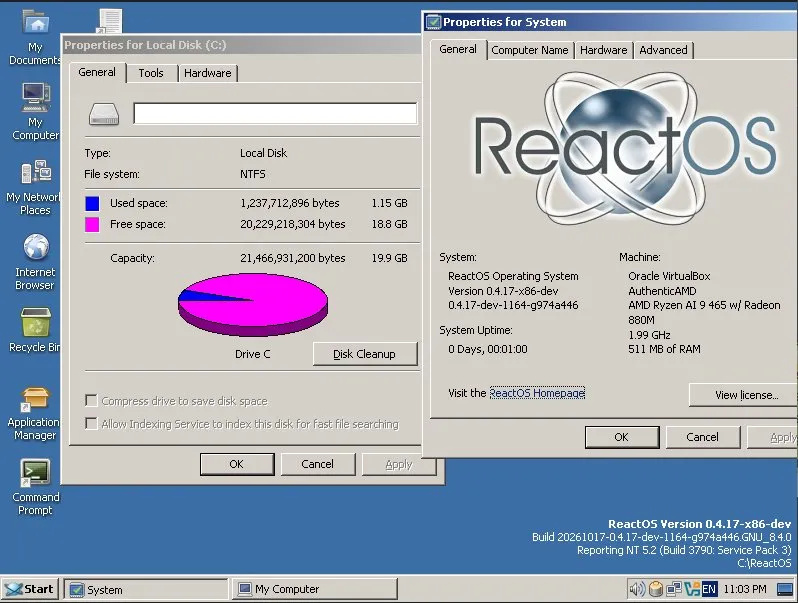
ReactOS Achieves Major Milestone with NTFS Compatibility
Introduction to ReactOS
ReactOS, an open-source operating system designed as an alternative to Windows, has recently made significant strides by enabling direct installations on NTFS (New Technology File System) partitions. This advancement marks a crucial step towards the project’s goal of achieving binary compatibility with Windows Server 2003.
Transition to NTFS
Prior to this update, users were limited to using FAT32 (File Allocation Table 32) partitions for installing ReactOS. The use of NTFS, which has been integral to Windows systems since its introduction in 1993, brings ReactOS one step closer to mimicking the Windows environment. The NTFS format, widely adopted since the release of Windows XP in 2001, enhances overall compatibility and performance within the ReactOS ecosystem.
Current Limitations
Despite this significant development, users should remain cautious. The new NTFS driver for ReactOS is still in its early stages and currently lacks several features, including:
- Caching capabilities, leading to potentially slower performance
- Journaling support
- Security features
The ReactOS development team has emphasized the presence of “potentially undiscovered bugs,” inviting users to approach this new installation method with care.
Conclusion
While the latest update represents a significant milestone for ReactOS, the journey towards full functionality is ongoing. Users interested in exploring this open-source alternative should weigh the benefits against the current limitations as ReactOS continues its development toward a beta release.
