


Theater Mode on Your Apple Watch: An Essential Guide
Discover how to silence your watch and enhance your movie experience.
Overview of Theater Mode
The Apple Watch is more than just a timekeeping device; it bridges the gap between your iPhone and personal health monitoring. One particularly useful feature, Theater Mode, offers a solution for users looking to minimize distractions in specific environments such as movie theaters.
First introduced with watchOS 3.2, Theater Mode is compatible with all Apple Watch models released since 2015. This feature allows users to remain informed about notifications without disturbing those around them.
How to Activate Theater Mode
Enabling Theater Mode is a straightforward process:
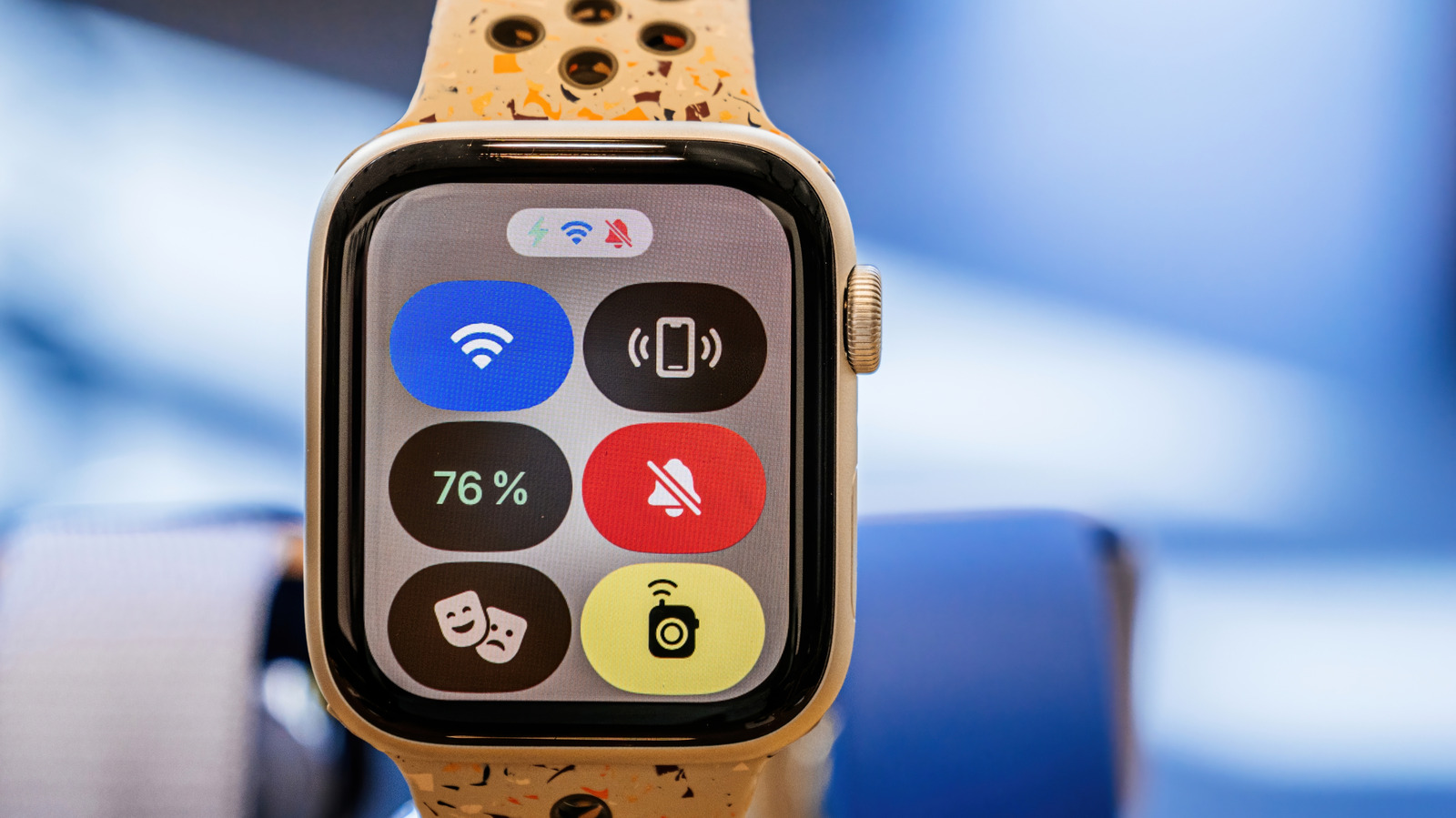
- Press the side button on your Apple Watch to access the Control Center.
- Look for the icon featuring comedy and tragedy masks and tap on it to activate Theater Mode.
When activated, the following changes occur:
- The watch’s display dims significantly and will not wake up with wrist movements.
- All sounds are muted, including alerts and notifications.
- Visual notifications are disabled, though haptic feedback remains active, allowing you to feel incoming alerts.
Unlike Do Not Disturb mode, Theater Mode does not automatically deactivate after a certain period, requiring manual toggling to turn it off.
Ideal Uses for Theater Mode
Theater Mode is particularly beneficial in scenarios where silence and focus are paramount, such as:
- Watching films in cinemas
- Attending live performances
- Participating in meetings or formal gatherings
This feature not only prevents disruptive notifications but also has the added benefit of extending battery life since the watch won’t activate the display upon minor movements. You can also manage specific biometric measurements like blood oxygen levels by adjusting settings to keep certain readings active or disabled while in Theater Mode.
Conclusion
Theater Mode on the Apple Watch is a valuable tool for users looking to stay informed without disturbing their surroundings. By understanding how to easily activate this feature, you can enhance your experience whether you’re at the cinema, in a meeting, or in any other environment requiring quiet. For more on how to utilize your device effectively, consider exploring additional features tailored for everyday convenience.
